01
Open the builder
Press UP on your watch, open YNATUS and choose + New Workout.
START ON YOUR WATCH
 YNATUS
GARMIN CONNECT IQ · OPEN-WATER SWIMMING
Create your swim workout on your watch. Take it to the water. Stay with your rhythm.
YNATUSMADE FOR THE OPEN WATER
YNATUS is a Garmin Connect IQ beta for building and following structured open-water swim workouts directly on your watch. Set your intervals on shore, then let the watch guide your session in the water.
Workout setup happens on the watch. Phone-based setup is not available yet.
YOUR FIRST WORKOUT
Designed to keep setup simple and the swim focused.
Press UP on your watch, open YNATUS and choose + New Workout.
Add swim steps by distance, time or manual completion. Repeat blocks and choose timed or manual rest.
Review the workout, start your session and wait for GPS to be ready before you enter the water.
Pause, resume or skip a step as needed. Finish and save the FIT activity, then review your summaries.
NO WORKOUT PLAN? NO PROBLEM.
Record an open-water swim without structured steps, then finish and save when you’re ready.
BUILD IT ON YOUR WATCH
Choose what you want to swim, set a target, then review the full session before you start.
START WITH A BLOCK
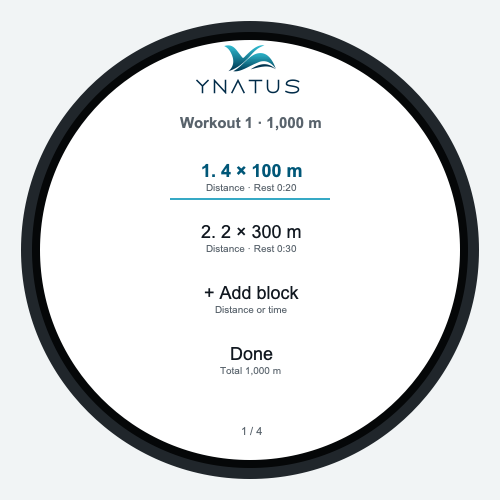
After choosing + New Workout, select + Add block. Each block is one swim step, such as a warm-up, a main set or a cool-down.
CHOOSE A TARGET
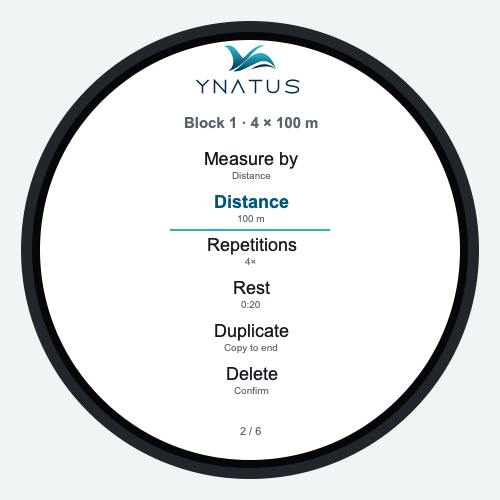
Choose how the step ends: when you reach a distance, when its timer runs out, or when you complete it manually. Enter the target with the watch buttons.
Distance entry: UP/DOWN changes a digit, START moves to the next digit, and BACK returns to the previous one.
SET YOUR RHYTHM
Use Repetitions to repeat a step or sequence. Add a timed rest, or choose manual rest to end it when you are ready. Edit or reorder blocks from the workout options.
CHECK BEFORE YOU SWIM
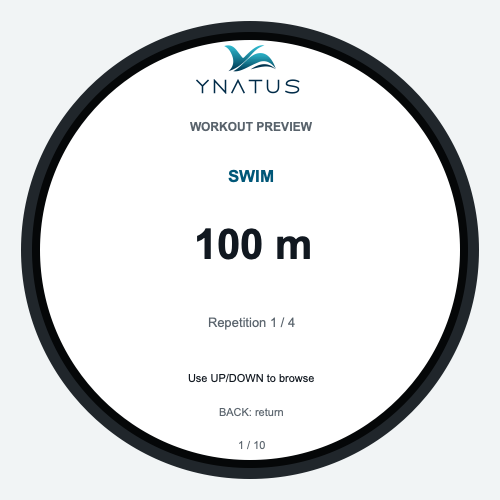
Check the order of steps and the planned total. In this example, 4 × 100 m plus 2 × 300 m adds up to 1,000 m. Select Done when the plan looks right.
Example set: 4 × 100 m + 2 × 300 m = 1,000 m. Change the distances and repetitions to fit your own session.
BUILT FOR YOUR RHYTHM
Everything you need to follow your own set, without losing sight of the swim.
See beta testing notes ↘Create, edit, reorder and review steps before you start.
Group steps into repeats and add timed or manual rests.
Use countdowns, vibration, optional sound, pause/resume and step skipping.
Continue swimming after the planned workout ends, then save your activity.
A BETA THAT’S STILL LEARNING
YNATUS targets Forerunner 165, 255 and 265. Physical testing so far has been on a Forerunner 255 only; hands-on testing on the 165 and 265 is still pending.
If you own a Forerunner 165 or 265, your feedback can help.
YOUR NEXT SWIM STARTS HERE